Parents manage it on iPhone
Create a goal, maintain the balance and weekly savings, and record actual income or spending.
 YEEVORMIdeas take form
MONO TOGETHER · APP DEVELOPMENT COMPLETE
Focari Family
Focari Family is Focari's family goal mode. Parents manage goals and balances on iPhone, while an iPad at home becomes a display for progress, the impact of choices and recent changes.
ONE APP · TWO ROLES
Use the iOS devices you already have. A parent's iPhone handles management, and the household iPad or a spare iPhone becomes a quiet family display.
When a goal, balance or rule changes, it appears in the activity record. Family members can see how the goal has progressed or been adjusted over time.
HOW IT WORKS
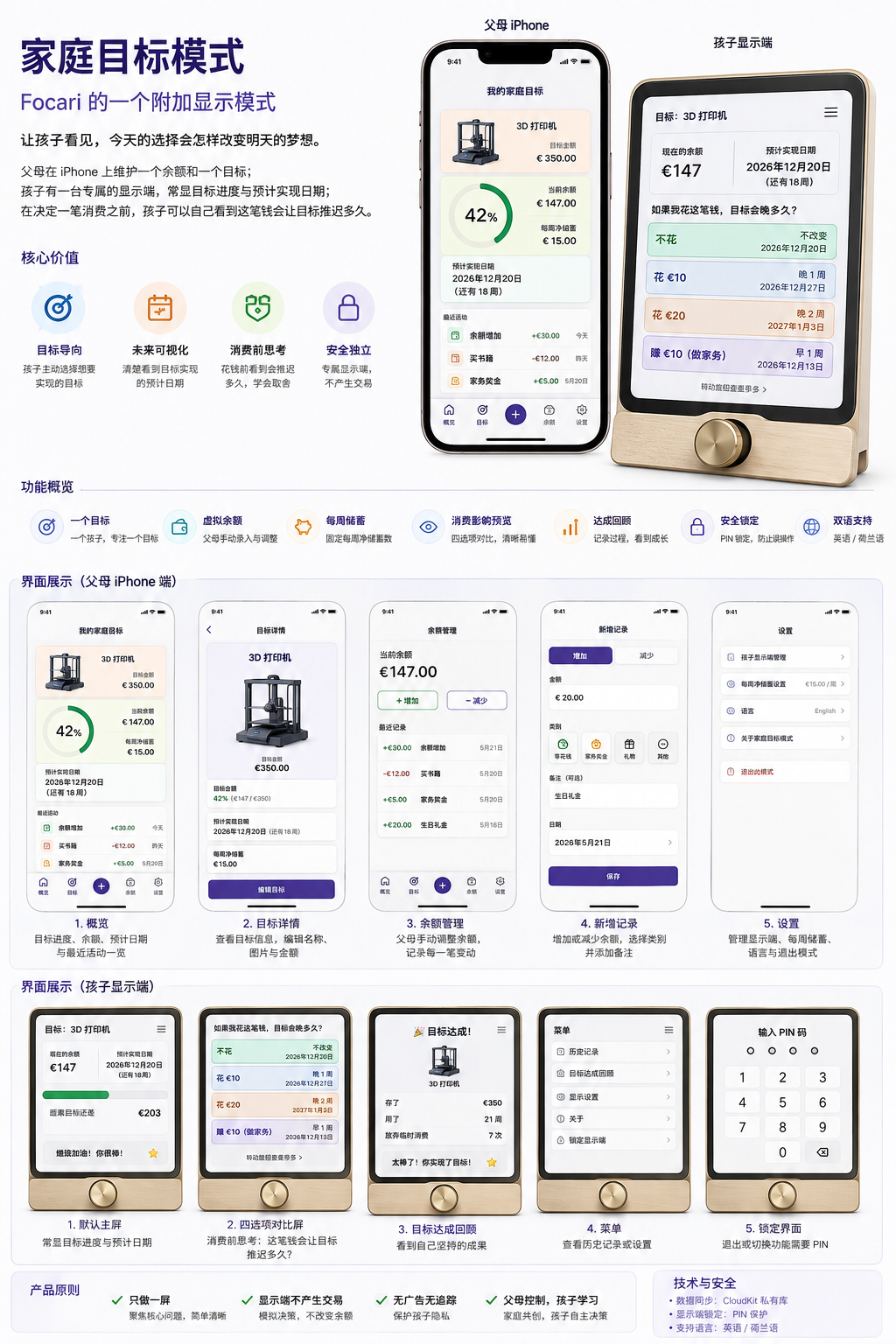
The same app runs in management or display mode according to the device's role. Parents retain control of actual data, while the display keeps the process transparent.
Create a goal, maintain the balance and weekly savings, and record actual income or spending.
Another iPhone or iPad becomes the family display, synchronised through a private CloudKit database.
The goal, balance, estimated date and impact of spending stay visible in a shared family space.
Changes to goals and amounts appear in the iPad activity log, so updates cannot happen silently.
TWO FAMILY SCENES
Adults can manage a household plan together. For families with children, management stays separate from practising choices.
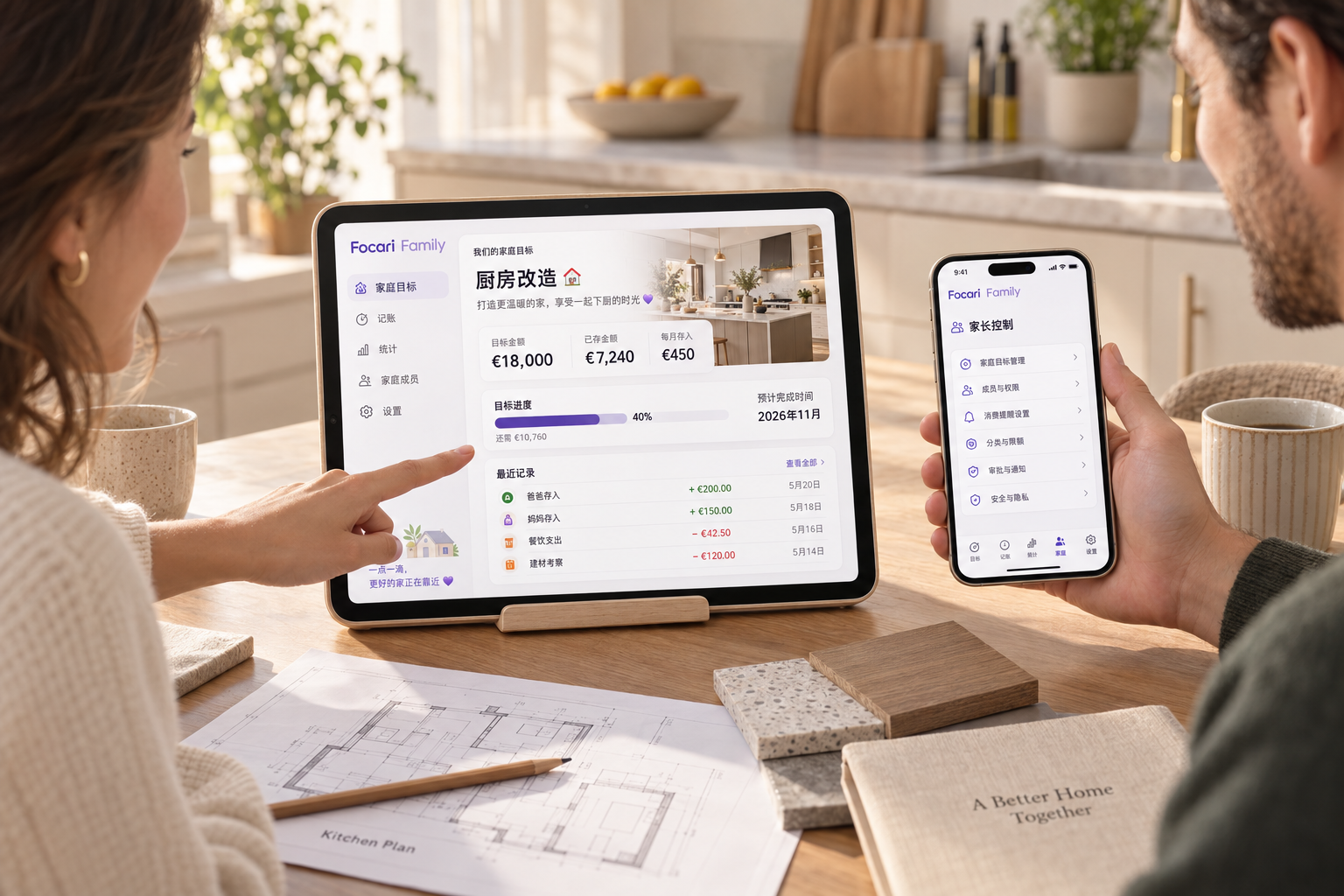
A couple can maintain a budget, savings progress and estimated completion date together. Changes to the target, deposits and spending appear in the iPad's recent activity, keeping both people informed.
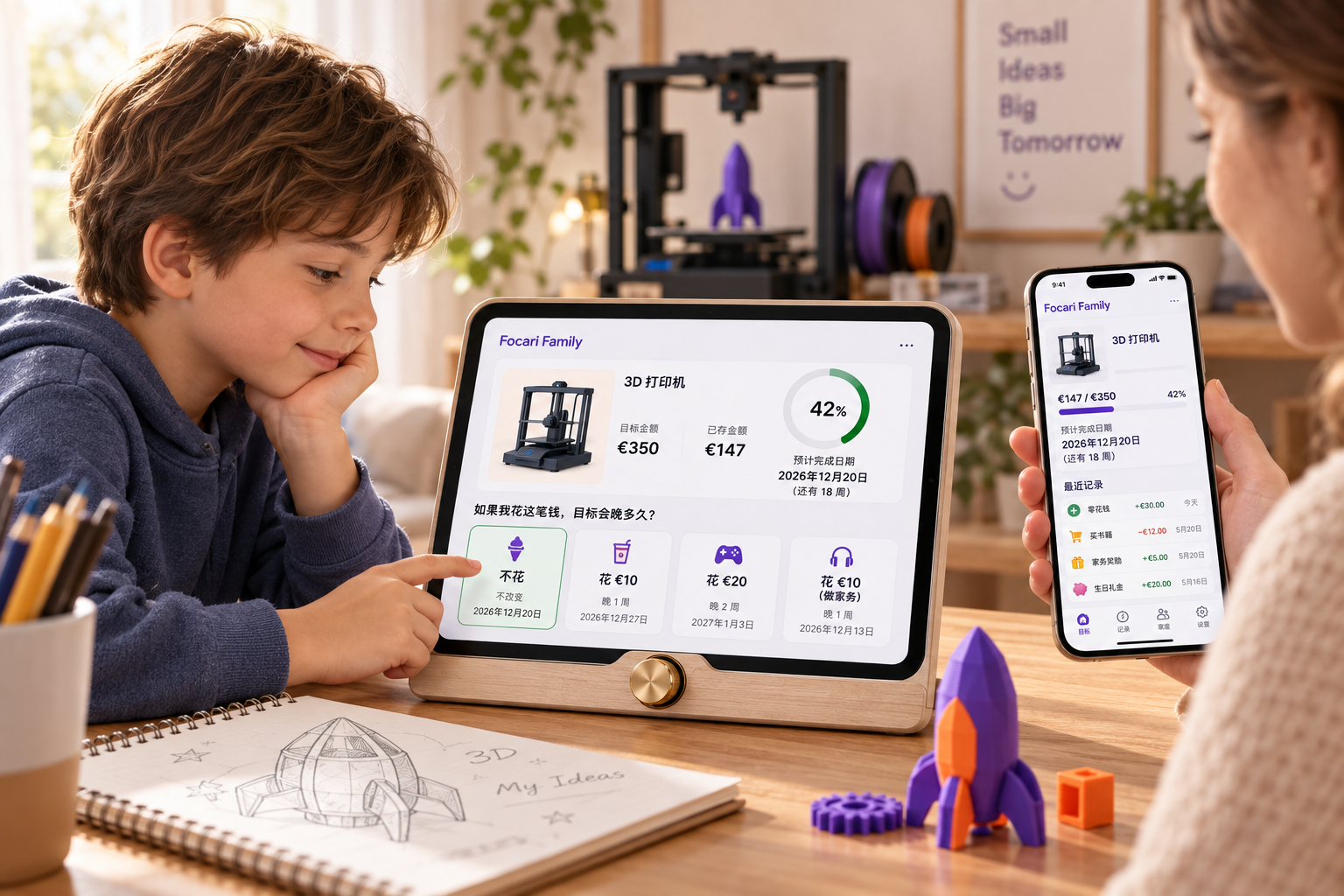
Parents maintain the balance and actual transactions on their phone. On iPad, children compare how spending nothing, €10 or €20 changes the target date. These are simulations and do not change the balance.
VISIBLE CHANGE HISTORY
Family goals evolve. The context matters: when a target changed, why the balance increased or decreased, and how a new estimate was calculated. The iPad keeps that record in shared view.
PRODUCT PRINCIPLES
Focus on one thing you truly want to achieve, and keep progress clear.
Showing how many days a choice adds makes its cost easier to understand than an abstract number.
Children can explore different choices. Only parents can change the actual balance in management mode.
Family data is stored in a private CloudKit database, while changes remain visible within the family.
CUSTOM IPAD FRAME
Focari Family works with existing display hardware. For a closer fit with your home, YEEVORM can design a desktop or wall frame around your iPad model, its location and your interior style.
Discuss a custom iPad frameFOCARI FAMILY MODE
Focari Family app development is complete. It pairs iPhone management with an iOS display: one family, one active goal, one virtual balance and a view of how spending affects the estimated date. Use an existing iPad, with optional custom desktop or wall frames.
PRODUCT STATUS
Focari Family app development is complete and works with existing iPhones and iPads. The family scenes on this page illustrate two typical ways to use it.
YEEVORM accepts custom development projects for desktop and wall-mounted iPad frames. Device model, materials, mounting method and the scope of fabrication and delivery are agreed for each project.
The product has clear boundaries: children can only simulate spending choices; parents manage actual balances and transactions. There are no leaderboards, compulsory rewards or penalties, or advertising trackers.
Back to Mono Display